Be my eyes
Free app for iPhone and Android devices for receiving visual assistance from human volunteers or AI.
On this page
Product description
Be My Eyes is a free AI smartphone app that provides virtual assistance by connecting users who need visual assistance with family and friends, volunteers and companies through live video. Once registered, you can place a call to a volunteer, who will describe what they can see through your phone’s camera. Should you require help with using the built-in screen reader or the magnification feature on your Windows PC or Android smartphone, Be My Eyes can also connect you directly to the dedicated accessibility support specialists at Microsoft and Google.
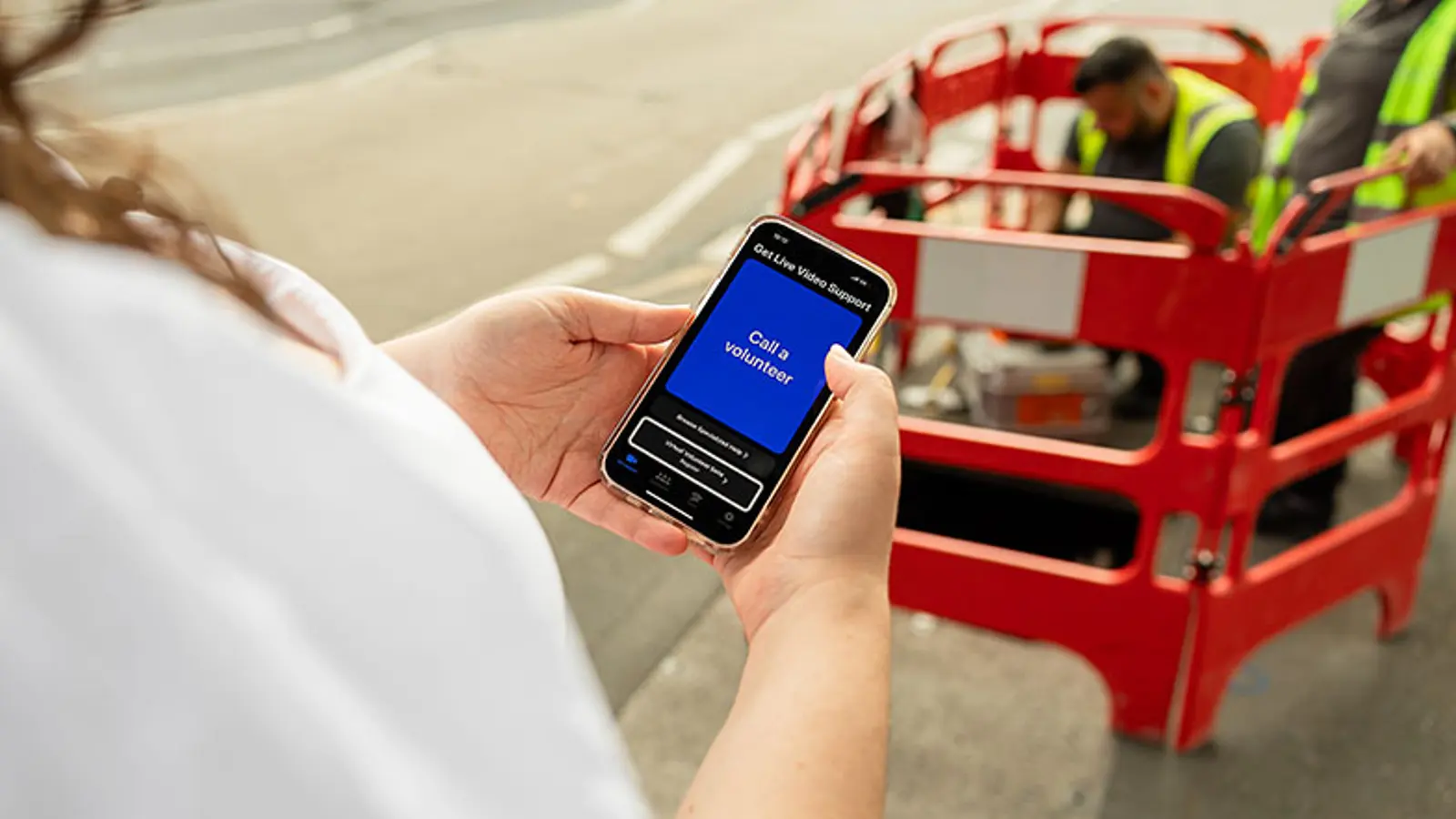
Be my eyes highlights
Be My Eyes can be helpful for:
- Reading product labels and instructions.
- Identifying items and describing your surroundings.
- Getting help directly from experts at companies like Google and Microsoft.
Photos are a big part of our social world, whether photos shared by friends and family, or images and screen shots shared on social media. I would often just scroll past these resigned to the fact that I would be missing out on something that others were talking about. Be My Eyes image descriptions have enabled me to be included and, most importantly to me, enjoy family photos of important and happy moments in their lives.
Note for magnification users: The pros and cons are listed next to each other.
Pros
- There are many volunteers on standby, so most calls are answered in under a minute.
- It’s free to use.
Cons
- Some volunteers will be more experienced describing what they can see than others.
- Only share information you are comfortable sharing with strangers (not bank details etc).
- Volunteers give their time freely, so it may not be suitable where lengthy support is required.
Ease of use
Easy
Set up time
Estimate: 10 minutes
Price range
Free
Learn more
- Explore the Be My Eyes Help Centre page.
- Watch the helpful video on the Henshaws website Introducing Be My Eyes.
Manufacturer details
You can find more information on this product by contacting the manufacturer.
Email: support@bemyeyes.com
Website: https://www.bemyeyes.com/
Want to learn in detail about other technology tools that can help you?
Related products
Our partners
Whilst Guide Dogs may be able to suggest various third-party websites and third-party applications which may be able to assist you, those are not endorsed by Guide Dogs. Guide Dogs have no control over those third parties and cannot be held responsible for the accuracy of information and support they can provide or the suitability and quality of any products or services they provide.
Our tech reviews have been selected and created by sight loss experts and people with lived experience from: Blind Veterans UK, Glaucoma UK, Guide Dogs, Henshaws, The Macular Society, Retina UK, RNIB, Thomas Pocklington Trust, Technology Association of Visually Impaired People (TAVIP) and Visionary with key input from a panel of professionals, with lived experience, from the following organisations: Berkshire Vision, Outlookers, Seescape, Sight Advice South Lakes, Sight Concern Worcestershire, Sight Airedale and The Braillists Foundation