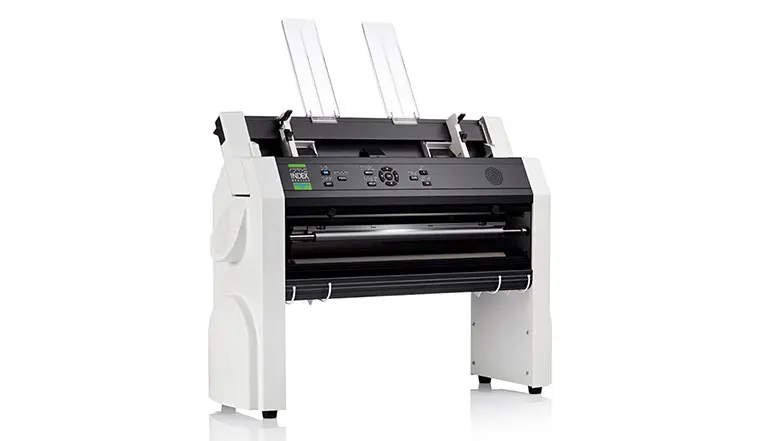
What is a braille printer?
A braille embosser doesn’t apply ink to paper like a standard ink printer does, it uses a series of dull pins or hammers to emboss, a series of braille dots onto the page. It uses paper that’s much thicker than the paper used when printing with an ink-based printer. Because braille takes up more space on a page than the printed word, you’ll tend to use more paper than you would using an ink printer. While braille embossers are simple to use and relatively straightforward, they can be louder and slower than ink printers.
Firstly, they must be connected to an electronic device, whether a PC, mobile, USB drive or braille notetaker. From there, the embosser can translate words into braille. The dots are created through a series of spring-loaded hammers or pins. Some more expensive models can use high-pressured air to create dots and can even print double sided documents.
Some embossers are also capable of producing tactile images, providing useful aids to help you clearly understand information and instructions if you have a vision impairment.
Embossing speeds are a way for manufacturers to show how fast their braille embossers work. The fastest embossers are more convenient and most popular. However, it’s important to remember that the top speed isn’t always better - some faster embossers can offer reduced quality.
Embossing speed is measured in characters per second, or CPS, and pages per hour, or PPH. Be wary of printers that claim to be unusually quick, as they may be using an unrealistic measure of their CPS. Some companies use printing a page that consists of the repeated letter ‘a’ (represented by a single dot) as a measure of CPS.
Braille printer cost
The cost varies from brand to brand and model to model. Cheaper printers may not have all the features of the more expensive models, but depending on your needs you might find they do the job just as well. Second-hand printers are also available and can provide you with a quality embosser at a lower price.
Alternatively, if you don’t plan to use your embosser often, you can use an external service to emboss braille documents for you. These services can be found by searching online, including in the RNIB shop.
Why are embossers so expensive?
Braille embossers are more expensive than ink printers. This tends to be because they are mechanically more complicated than ink printers. The smaller market share also means fewer are made, plus demand is high.
Best braille printers and embossers
Before you explore the best option for you, focus on why you want a printer in the first place. Are you printing materials for work or personal reasons? How often will you use your embosser and what do you plan on printing? What’s your budget?
Once you have a clear idea of what you need, explore some of our recommendations below.
As the only printer on the market capable of producing documents in both ink and braille, the SpotDot Emprint braille printer is an incredibly useful tool for homes, classrooms and offices. Printing on A4 cut paper, the braille embosser translates words to braille direct from Microsoft Office using TSS Tiger Software Suite. The dual printing options mean that people with and without sight loss can print and read the same documents. While the SpotDot Embosser combines two printers to make sharing information useful, its high price tag makes it the most expensive braille embosser on our list.
This lightweight braille embosser is compact enough for home use but is also suited to office work. Printing braille at a consistent 25CPS it isn’t the fastest, but it’s reliability and compactness make it a popular choice for personal use. The ability to switch between different paper-feeding mechanisms provides a flexibility that other printers may be lacking. With a new polymer platen that creates a smooth, rounded dot for ease of reading, the View Plus Tiger also comes with Tiger Software Suite to provide an easy transition from text to software, to braille.
Designed to provide a complete education on how to read braille, the Harpo Mountbatten Brailler functions differently to typical braille printers. Complete with a keyboard and printer, the Brailler provides a portable learning centre for young people with sight loss, and educators who want to teach braille. When using the Mountbatten Brailler Tutor, it provides audio feedback and prints your document as you type. While the Brailler can be connected to devices via the USB or wireless controls, it isn’t required for the embosser, making it a useful tool for classroom environments.
The latest in the Basic-D series, the V5 braille embosser is a compact and impressive device that utilises a tractor-fed method to print braille. This latest version features Wi-Fi connections, USB stick functionality and the option to print braille from mobile devices. Capable of printing up to 100 characters per second, the V5 makes use of fan-folded paper so that it can print both single- and double-sided pages. The control panel on the embosser is also designed for use by people with and without sight loss by providing braille and text labelled controls.
Capable of embossing braille at high speeds, the Everest-D V5 Embosser can emboss an impressive 400 A4 pages an hour without sacrificing quality. With the Everest-D you can expect high resolution braille embossed in any format you choose on cut-sheet paper. Built with the needs of the user in mind, it’s possible to connect the braille embosser to Wi-Fi, and print from mobile devices or USB memory sticks.
If you don’t need to print and emboss braille regularly, a printer may be an unnecessary purchase. Instead, it may be easier for you to use embossing services, such as Pia,to provide high quality braille transcription as and when you need them. Pia transcription include a proofing service where your braille will be checked to ensure it fits the braille standard.
Braille printer paper
Braille printer paper is noticeably thicker than standard paper to produce better quality dots that hold their shape for longer. It’s always recommended to use braille paper as while some printers claim to be able to print on regular paper, it can sometimes be ineffective and more difficult to read. You can purchase braille embosser paper online from websites including the RNIB shop and Sight and Sound. Prices vary depending on size and quality but expect to pay around £25.