What is a wifi smart plug?
Smart plugs are a straightforward and inexpensive way to 'upgrade' regular appliances from around £9 each. For example, instead of buying a smart kettle that connects to the wifi and costs much more than a standard kettle, you can plug your ordinary kettle into a smart plug. You can then control the kettle remotely, for example, from the bed, so you have boiling water ready for a fresh cuppa as soon as you get up.
Smart plugs work with regular power sockets and power strips; you simply plug them in and then connect to the manufacturer's app on your phone or tablet. If you have a smart home device such as Google Assistant, Apple HomeKit or Amazon Alexa, you can link the smart plug to use your voice assistant to control it. Just check the smart plug you buy is compatible with the smart product you use. Some smart plugs also work with the app If This Then That (IFTTT), which lets you operate several devices from different suppliers or brands.
Once up and running, you can plug in whichever home appliance or device you want remote control of lamps, televisions and gaming consoles, kitchen appliances like coffee machines and more. There are many uses for smart plugs, which can be a boon to your daily routine. For example:
- Smart plugs are a game changer if you have awkward-to-reach wall sockets, and they can make it easier to turn devices off instead of leaving them on standby. One of the most commonly quoted uses for smart plugs is to turn Christmas lights on and off without crawling behind the Christmas tree!
- If you regularly leave the house and then wonder whether you turned something off, a smart plug will give you the answer without having to turn around and go back home to check.
- You can use a smart plug to turn a slow cooker on while you're out so that dinner's ready just when you want it.
- A lamp plugged into a smart plug in your hallway can help you void fumbling around looking for a switch when you arrive home after dark.
- Gadgets like heated clothes airers and electric blankets are becoming popular as many of us are looking for cost-efficient ways to keep warm. A smart plug can set a timer for these, potentially making them even more cost-efficient.
When buying a smart plug, think about which socket you want to use it with, and check there is enough space for the smart plug and appliance plug.
There are some appliances where having a smart plug won't really add convenience; for example, a washing machine or dishwasher needs to be programmed after being switched on, which a smart plug can't do (yet!). There are also some appliances it's safest to avoid using smart plugs with – freezers, fish tanks, medical equipment – just in case something happens to your wifi connection.
Be aware that smart plugs draw a tiny amount of energy even when your appliance is switched off, as they need to stay connected to the wifi to 'listen' for your next instruction.
Are smart plugs worth it for people with vision impairment?
Smart home products can help make day-to-day life at home with sight loss easier. You can use smart plugs to switch devices on and off using your phone or with voice commands, limiting how often you need to go in search of manual switches. Many allow you to set up schedules based on your routine, so you can automate appliances to come on, for example, when you usually get home.
Smart plugs can be a good way to dip your toe into smart home products because they don't require a big investment to get started or need to be professionally installed. You simply plug them into existing sockets, connect the smart plug to your wifi, and then plug in your normal appliance. You can start with one smart plug and try out different appliances, buying more later if you find it helpful. If you already use Alexa, Google Home or Siri, check the smart plug you want is compatible before buying and that the manufacturer's app is compatible with accessibility features on your device.
I recently bought some smart plugs which are accessible with my Alexa devices. I felt I would be more likely to turn things off rather than leaving them on standby when not in use, hoping to save some money and conserve energy. They are working very well. I am definitely switching off devices that are not in use much more regularly. The great thing is that if I get into bed and realise I haven’t switched them off, I can just do it from bed!"
Best smart home smart plugs
How we choose the best smart plugs
Probably a smart plug's most important feature is that it's compatible with any smart home device you already use. Functionality to look out for when choosing a smart plug include:
- Compatibility with the operating system on your smartphone or tablet (Android, iOS and so on) or with the smart speaker or home device you use. Most smart plugs are compatible with Amazon's Alexa, Google Assistant, and Apple HomeKit. Look for compatibility with IFTTT if you want to use multiple brands.
- Energy monitoring, with some but not all smart plugs offering this feature so that you can monitor the energy usage of your appliance.
- Connectivity: most smart plugs connect directly to your wifi, but some brands require a hub plugged into your wifi router to work (such as the Hive Hub or Hue Bridge). Some also offer Bluetooth connection, which means you can control them without connecting to wifi but with limited range.
- The option to set a schedule for the smart plug to switch on and off according to your chosen routine.
- The ability to group smart plugs and control several devices at once.
- We've included smart plugs for indoor use, but you can get smart plugs for outdoor use too.
Here are some of the popular smart plugs available in the UK:
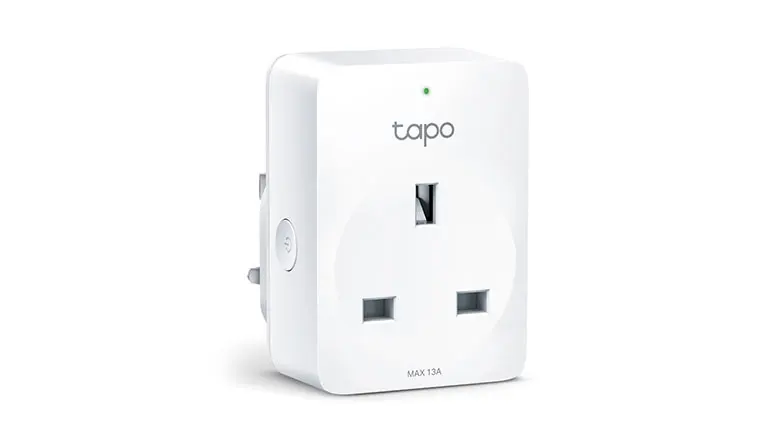
TP-LINK has a range of Tapo branded smart plugs, with the P110 available for around £10. People who've bought this product found it easy to set up and use, and like the power consumption information it provides.
- The Tapo P110 is compatible with Amazon Alexa and Google Assistant but not Apple HomeKit. It works with Android and iOS operating systems.
- This smart plug has a timer and scheduling options.
- Provides real-time energy consumption information.
- It doesn't need a hub to connect to the internet.
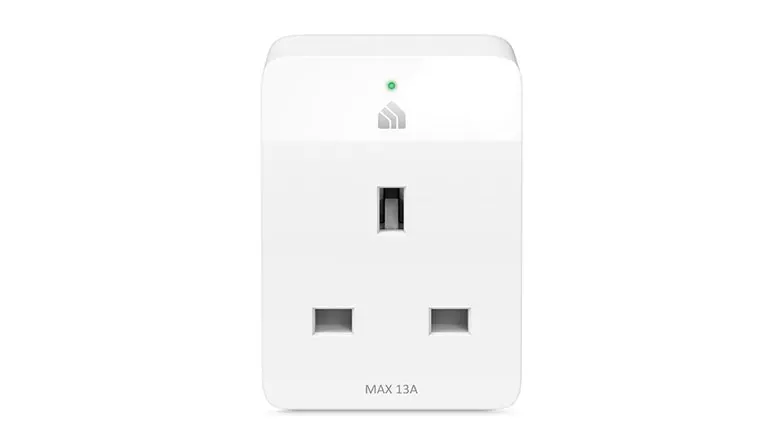
The Kasa Mini smart plug with energy monitoring (KP115) retails for around £20. People who've bought this plug found it easy to set up and like its compact size (meaning you can fit more than one in a power strip). Some have found the Kasa app to have limitations when used with Apple's VoiceOver screen reader, such as unlabelled buttons.
- This smart plug is compatible with Amazon Alexa, Google Assistant, Samsung Smart Things and IFTTT, iOS and Android. It's not compatible with Apple HomeKit.
- Its features include scheduling, a timer, and away mode, which can turn your appliances on and off at random times (for example, when you're on holiday).
- There's no hub required to connect this plug to the internet.
- This model includes energy use monitoring.
- Retailing for around £25, the Amazon smart plug isn't the cheapest option but is designed to work seamlessly with Alexa: people who've chosen this smart plug rate it as very easy to set up if you already use Alexa. The plug is a bit bigger than others, so check it's suitable for the sockets you want to use it in.
- This smart plug only works with Alexa-enabled devices like Amazon Echo and Echo Show, so it's unsuitable if you use Apple HomeKit or Google Assistant and doesn't support IFTT. It is compatible with iOS and Android operating systems.
- It uses the Alexa app, allowing you to create routines and connect multiple smart plugs to operate them simultaneously.
- You don't need a hub to connect this smart plug to the internet.
The BG Electrical smart plug is available for around £17. Many people who've bought this rate it as easy to set up, but some note that you need to connect it to wifi on 2.4 gigahertz, not five gigahertz. Gigahertz is the radio wavelength your router uses to transmit wifi signal around your home, and the faster five gigahertz is now common. Check your router settings or ask your router provider how to switch to 2.4 gigahertz while you set up this plug.
- This plug is compatible with Amazon Alexa, Google Assistant, Apple HomeKit, and IFTTT and works with Android and iOS operating systems.
- It has timer and scheduling options and can also be set to operate randomly (useful with lighting to make it appear you're at home when away).
- This smart plug doesn't need a hub to connect to your internet.
- There's no energy monitoring feature with this smart plug.
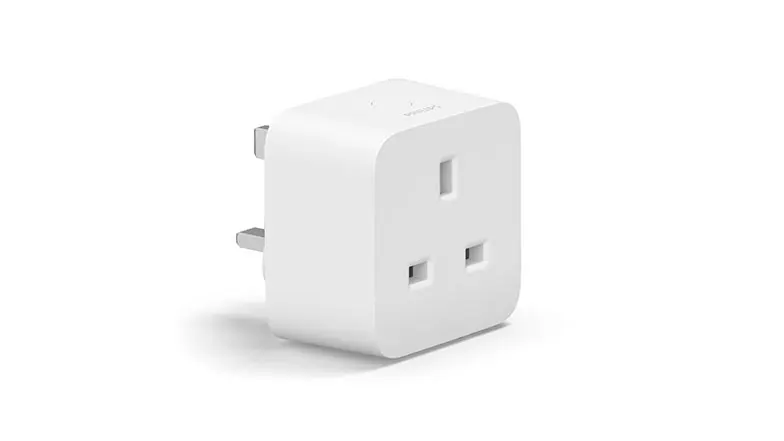
The Philips Hue smart plug is available from around £25, making it one of the more expensive smart plugs. If you already use Philips Hue smart home products, such as smart lights, and want integration with these, you may find it's worth the money. People who've bought this plug like its ease of use and quality. The Hue app is largely accessible with Apple's VoiceOver screen reader, although some features, such as adding motion sensors, are not easy to use.
- The Hue smart plug uses the Hue app and is compatible with Amazon Alexa, Google Assistant, Apple HomeKit, Samsung SmartThings, IFTTT and the iOS and Android operating systems.
- To make the most of this plug's features, including voice control and scheduling, you need the Hue Bridge smart hub connected to your internet router at an additional cost.
- This smart plug doesn't offer energy monitoring.
You can buy the TCP Smart plug for around £10, and people who've chosen this smart plug rate it as affordable and good value.
- This smart plug works with Amazon Alexa, Google Assistant, Android, and iOS operating systems. It's not compatible with Apple HomeKit.
- It lets you set schedules and timers.
- This smart plug doesn't include energy monitoring.
- You don't need a hub to connect this smart plug to the internet.
Frequently asked questions
Smart plugs are safe to use if you follow general good practice. Refrain from overloading sockets and always check the appliance or device you plug is within the recommended wattage for the smart plug. Another good habit is always installing the latest software updates on your phone and the apps you use.